
One case. Every observation.
Four Pillars, space and review — connected in Xuxiang.
Keep traditional BaZi analysis, residential references and your own observations in one case file. Return to the context behind every note and layout change.
一份案卷,
留下每一步观察。
序象 · 四柱、空间与观察复核
把八字分析、阳宅参考与自己的观察放进同一份案卷。每一条笔记、每一次空间调整,都能回到当时的依据。
一份案卷,
留下每一步觀察。
序象 · 四柱、空間與觀察複核
把八字分析、陽宅參考與自己的觀察放進同一份案卷。每一則筆記、每一次空間調整,都能回到當時的依據。
A continuous workflow
Start with the inputs. Follow through to a record you can revisit.
- 01
Create a case
Check the date, place, time zone and calculation settings before saving.
- 02
Read the analysis
Move through a reading directory, inspect each pillar and explore structure and timing.
- 03
Document the space
Annotate a site, save layout versions and compare your changes.
- 04
Review and export
Add observations, revisit the timeline, then preview and export the saved dossier.
从建立,到再次回看
输入、分析、现场与观察,在同一份案卷里连续展开。
- 01
建立案卷
分步核对日期、地点、时区与计算选项,确认后保存。
- 02
展开分析
从阅读目录逐柱查看,继续结构解读与时间层分析。
- 03
记录空间
标注现场与物件关系,保存方案版本,对照每一次变化。
- 04
复核与导出
追加观察,回看时间线,先预览再导出已保存的案卷内容。
從建立,到再次回看
輸入、分析、現場與觀察,在同一份案卷裡連續展開。
- 01
建立案卷
分步核對日期、地點、時區與計算選項,確認後儲存。
- 02
展開分析
從閱讀目錄逐柱查看,繼續結構解讀與時間層分析。
- 03
記錄空間
標註現場與物件關係,儲存方案版本,對照每一次變化。
- 04
複核與匯出
新增觀察,回看時間線,先預覽再匯出已儲存的案卷內容。
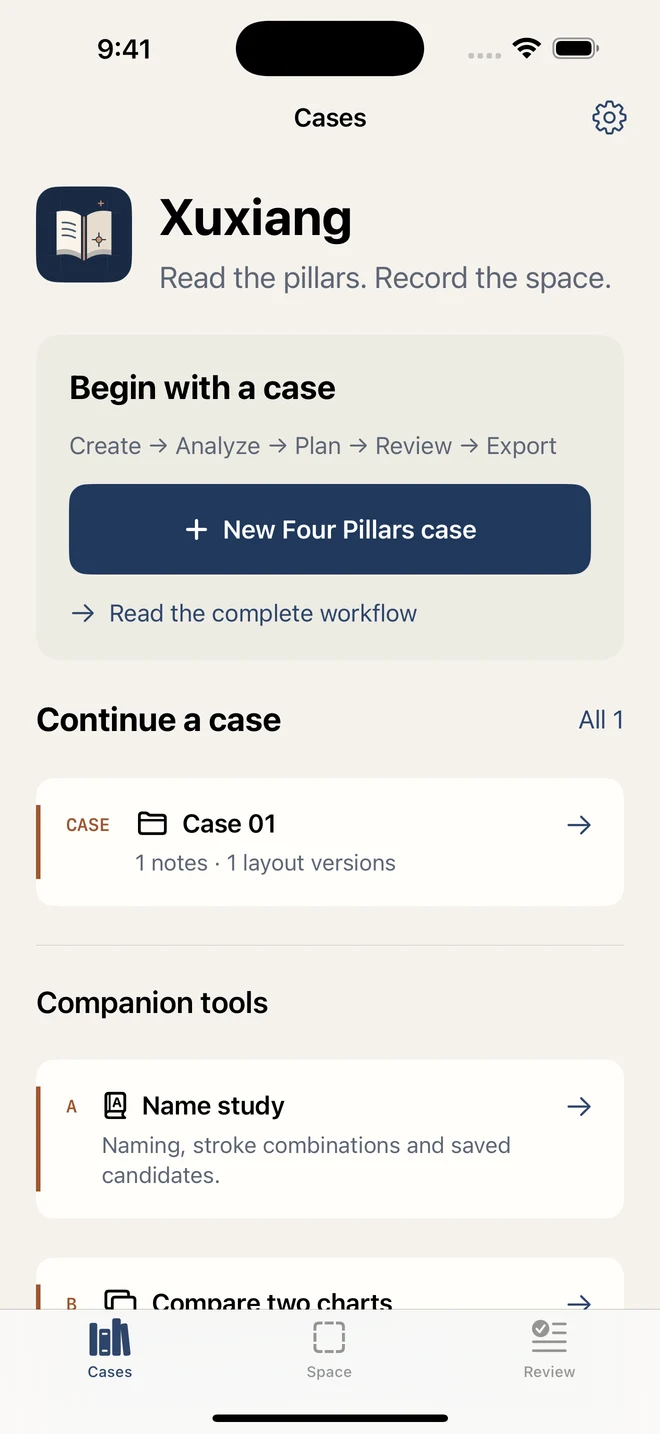
The same case, in context
Actual app screens, from the reading directory to your space workspace.
沿着同一份案卷,继续探索
从阅读目录到空间工作页,以下均为当前 App 的实际界面。
沿著同一份案卷,繼續探索
從閱讀目錄到空間工作頁,以下均為目前 App 的實際介面。


Your records stay with you.
Cases, notes and personal layout versions are saved on your device. Export a readable dossier for review, or use a full backup in Settings to restore your data. Sharing is your choice.
Read the privacy policy →Start with a space practice
The public practice needs no birth details and lasts for the current session. Layout recording, version comparison, observation notes and dossier export do not require a subscription. Residential analysis and other member features follow the access rules shown in the app.
Name study and two-chart comparison remain available under Companion tools. Traditional analysis is cultural reference; a layout change is not an effectiveness or safety assessment.
从一次空间演练开始
公开演练无需出生资料,内容仅保留当前会话。空间记录、版本对照、观察笔记和案卷汇总无需订阅;阳宅分析与其他会员功能,按应用内显示的权限提供。
首页配套工具保留姓名研究与双盘对照。传统分析属于文化参考;空间变化不代表效果评分或建筑安全结论。
從一次空間演練開始
公開演練無需出生資料,內容僅保留目前工作階段。空間記錄、版本對照、觀察筆記與案卷彙總無需訂閱;陽宅分析與其他會員功能,依應用內顯示的權限提供。
首頁配套工具保留姓名研究與雙盤對照。傳統分析屬於文化參考;空間變化不代表效果評分或建築安全結論。